· Chand Lal · originally posted on LinkedIn
Meta AI Ad Changes: Advertisers Are Now “Solely Responsible”. Audit Advantage+ Creative
Since 30 Oct 2026, Meta’s terms make advertisers solely responsible for what its AI creates or changes in ads. What changed and how to audit Advantage+.
Key takeaways
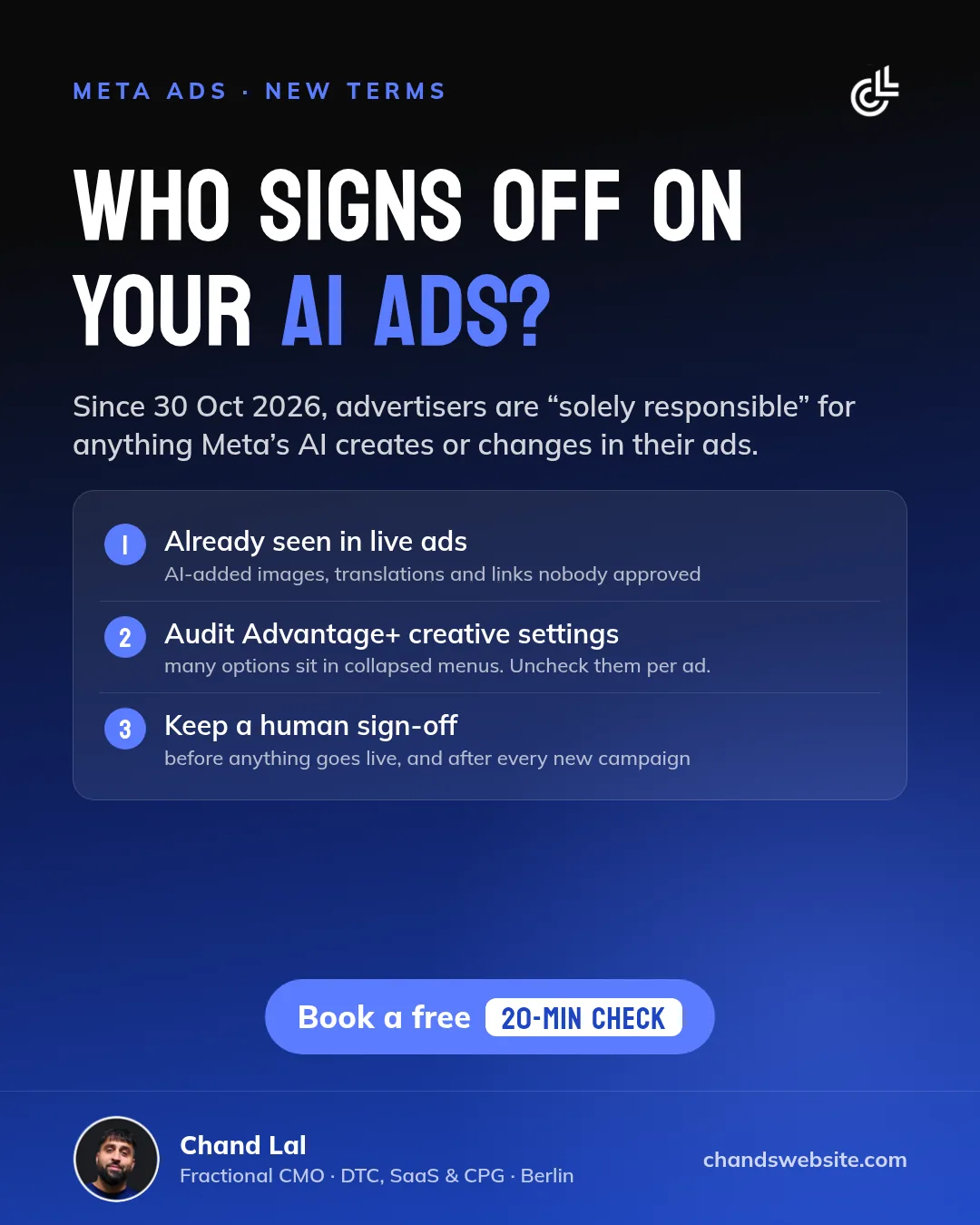
Since 30 Oct 2026, Meta's ad terms say advertisers are "solely responsible" for anything Meta's AI creates or changes in their ads. Some advertisers have already found AI-added images, translations and links in live ads they never approved.
Now is a good time to audit your Advantage+ creative settings and keep a human sign-off before anything goes live. Want a second pair of eyes on your account? Book a free 20-min check.
The one-pager
What changed in Meta’s terms on 30 October
Meta’s updated Commercial Terms, the contract that governs every business using its products, apply from 30 Oct 2026. According to Adweek, a new “AI Features” section says advertisers are “solely responsible” for whatever Meta’s AI features create or change, including features Meta switches on.
Before, liability also sat with advertisers, but only if they chose to use Meta’s AI tools. The new terms concede the AI features “may make mistakes and may not always produce accurate, complete, or suitable results” and put “any and all risks” on the advertiser.
Meta calls it housekeeping: a spokesperson told Adweek it is folding its existing generative AI ad terms into its main ad terms. The spokesperson did not directly address whether advertisers are liable for AI features they never switched on.
What advertisers already found in live ads
Bookshop.org said an automated account update opted it into a generative AI feature, which added an AI-generated illustration to its human-made ad without its knowledge. It has since turned off all of Meta’s AI ad features.
The agency Exverus told Adweek it had to pull live ads, even after several rounds of quality checks, to strip out changes that slipped through: added sitelinks, language translations, and AI-generated images or carousels built from the brand’s own media. Many of the options sit in hidden or collapsed menus, and unless each one is unchecked, the enhancements still apply.
Why this matters right before Black Friday
The change lands a month before Black Friday and Cyber Monday, the biggest season of the year for many brands. An AI-added translation, image or link can put a claim, price or promise in front of customers that nobody on your team wrote.
Customers don’t read Meta’s terms. As an Emarketer analyst told Adweek, they are likely to assume the brand chose to use AI. And a MediaPost column warns that opt-outs rarely stay put: platform updates, duplicated campaigns and new features can switch settings back to default.
What I’d check this week
- Audit Advantage+ creative per ad: open every active ad and check which creative enhancements are on, including the collapsed menus. Turn off what you didn’t choose on purpose.
- Check what’s actually live: look at the delivered ads, not just your upload: images, translations, links and text variations.
- Keep a human sign-off: nobody publishes, duplicates or relaunches a campaign without a person checking the final ad.
- Re-check after every change: new campaigns, duplicated ad sets and Meta feature rollouts can bring defaults back.
- Write down your rules: which AI features you allow (if any) and who signs off, then brief your agency.
FAQ
Who is responsible for AI-generated changes in Meta ads?
Since 30 Oct 2026, Meta’s updated Commercial Terms say advertisers are “solely responsible” for whatever Meta’s AI features create or change in their ads, including features Meta switches on, according to Adweek.
What AI changes have advertisers found in live Meta ads?
Reported examples include AI-generated images and carousels built from the brand’s own media, automatic translations and added sitelinks. Bookshop.org found an AI-generated illustration in a human-made ad after an account update opted it in.
Can I turn off Meta’s Advantage+ creative enhancements?
Yes. A Meta spokesperson told Adweek advertisers can turn off individual Advantage+ features in Ads Manager at any time. Agencies report many options sit in collapsed menus and have to be unchecked one by one.
Do I have to accept Meta’s new terms?
Meta’s update notice says that if you don’t agree to the updated terms, you may stop using its products for business or commercial purposes. If you keep advertising, the new terms apply.
How do I keep a human in the loop for Meta ads?
Audit creative settings per ad, review every AI variant before it goes live, re-check settings after every new or duplicated campaign and name one person who signs off.